
Virtual Phone Numbers Explained
A sole trader in Brisbane can spend the morning on a construction site, hear a customer's call arrive on a desk phone back at the office, and lose the job before lunch. A small retailer might publish a personal mobile number because it's convenient, then find customers treating that number as a private contact rather than a dependable business channel.
Virtual phone numbers solve that separation problem. They give your business a real Australian number that customers can call, while the people answering can work from a desk phone, laptop, tablet or mobile app. For a multi-site team, the number becomes a shared front door rather than a line attached to one room.
The important question isn't whether virtual phone numbers work. It's how the number is provisioned, what customers pay to call it, how calls are routed, and whether the number is suitable for security-sensitive services. The answers depend on the number type and the hosted PBX platform behind it.
What Virtual Phone Numbers Are and How They Work
A virtual phone number gives customers a familiar Australian business number while allowing your team to answer through a desk phone, laptop, tablet or mobile app. The number is managed by an internet-based phone platform, so it can follow your staff between an office, different sites and home workspaces.
The platform behind many business virtual numbers is a hosted PBX, or private branch exchange. ACMA describes hosted PBX as an internet-based business phone service where the call platform and PBX are hosted at the provider's location. Your business receives PBX functions without installing the switching equipment on-site. Call control sits in the provider-managed platform rather than in a box at one office. ACMA's hosted PBX explanation provides background on this model.
How a virtual call reaches your team
The call path usually follows these steps:
A customer dials your Australian number.
The provider receives the call and sends it to the hosted PBX.
Your call rules determine the next action.
The PBX rings a VoIP desk phone, laptop softphone, mobile app, queue or voicemail service.
A softphone is an application that turns a laptop or mobile into a work phone. The PBX can ring several endpoints together, play a greeting, ask the caller to select a department, place the call in a queue, or divert calls outside business hours. For a team working across multiple locations, these rules act like a shared receptionist that follows the business, rather than a handset fixed to one site.
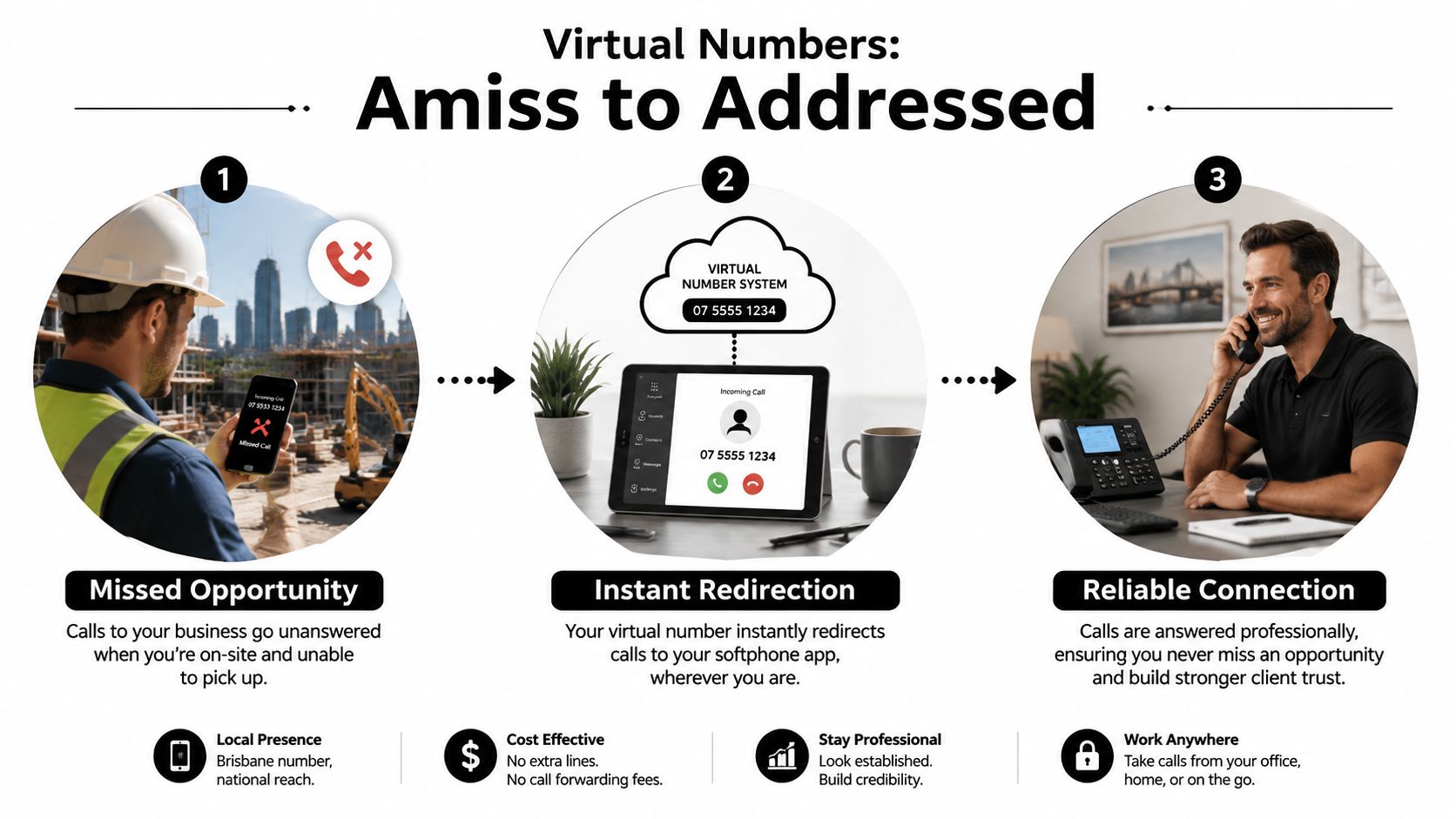
One number can therefore serve staff in Sydney, Melbourne and a home office in Geelong at the same time. The available number choices are explained in this guide to Australian phone numbers.
The service you buy still matters. Call forwarding may send calls to another number, while a hosted PBX can manage queues, transfers, greetings, recording and user availability. Ask whether the number supports voice, SMS or MMS, and whether calls reach staff through SIP, an app or ordinary forwarding. Provider documentation on virtual numbers explains why these capabilities vary by number class and implementation. Also confirm how number porting and account security are handled before moving an established business line.
Main Types of Virtual Phone Numbers in Australia
A plumber in Parramatta may want a local 02 number that feels familiar to nearby customers. An online retailer serving the whole country may prefer a 1300 or 1800 number that doesn't suggest one suburb or state.
Australia's conventional geographic ranges include 02, 03, 07 and 08, while ACMA has also specified 0550 for location-independent IP services. That range is designed for services that aren't tied to a fixed physical endpoint. ACMA material on Australian numbering explains the distinction between geographic and location-independent services.
Comparing Australian virtual number types for small business
Number Type | Example Prefix | Caller Pays | Customer Perception | Best Fit For |
|---|---|---|---|---|
Local geographic | 02, 03, 07 or 08 | Usually a standard call under the caller's plan | Local and familiar | Trades, clinics, professional services and suburb-focused businesses |
National geographic | 02, 03, 07 or 08 used with nationwide routing | Usually a standard call under the caller's plan | Established business with a local Australian presence | Businesses serving customers across several states |
Local-rate | 1300 | The caller generally pays a local-rate charge, depending on their plan | Accessible and businesslike | Sales, support and national enquiry lines |
Free-call | 1800 | The business generally carries the inbound call cost | Customer-friendly and larger-scale | Customer service, campaigns and high-volume enquiry channels |
Virtual mobile | 04 range, where offered | Usually treated as a mobile call under the caller's plan | Mobile, direct and flexible | SMS-led contact, field teams and businesses needing a mobile-style endpoint |
A local number can support trust in a particular service area, especially when your website, directory listings and customer references all point to the same region. A national geographic number can make a small operation appear less restricted to one office. The choice is less about pretending to be somewhere you aren't and more about matching the number to the area you serve.
1300 and 1800 numbers aren't automatically interchangeable. Their caller experience and business charges differ, and an 1800 service can move more of the call cost to the business. For a closer look at the customer-facing role of 1300 services, see this guide to a 1300 phone number.
A practical arrangement is to keep a local number for suburb-level enquiries and place a national or 1800 number on the website for broader sales or support. That lets each number communicate a clear purpose instead of forcing one line to represent every part of the business.
Benefits of Virtual Phone Numbers for Australian Small Businesses
The business case usually rests on cost, flexibility and professionalism. Those benefits overlap, but they solve different problems. Cost protects cash flow, flexibility supports staff movement, and professionalism helps customers understand that they're dealing with an organised business.
Cost is more than a cheaper call
A hosted PBX removes the need to buy, install and maintain a traditional on-site PBX. One Australian hosted PBX guide says hosted systems replace physical hardware with a cloud service and a predictable monthly fee per user, rather than a large upfront purchase followed by uncertain maintenance costs. The Australian SMB hosted PBX guide sets out that model.
Another Australian provider-published guide reports that moving from traditional landlines to VoIP can save small businesses 30% to 50% on telecommunications expenses, while startups can reduce initial communication setup costs by up to 90% by avoiding on-site PBX hardware. Those figures should be treated as provider commentary, not a guarantee, because your result depends on users, call destinations, hardware and contract terms. The Australian VoIP setup guide provides the cited context.
Flexibility follows the worker
A new starter in a Hobart home office may only need a headset, a softphone and login credentials. During a weekend trade show, an administrator can route the main number to a mobile or temporary queue without moving a physical line.
The same principle helps a five-person team working between Brisbane and Adelaide. A shared system can give staff consistent transfers, greetings and voicemail without requiring each location to run a separate PBX. Hosted PBX also lets employees use one business number from different locations while preserving routing and transfer functions through laptop or mobile clients. The remote-work hosted PBX guide describes that working model.
Professionalism creates a boundary
A personal 04 number may be fine for a one-person business, but it can blur work and private life. A virtual business number can present an auto-attendant, voicemail-to-email, after-hours routing and a shared identity that follows the team.
Australian market commentary reports that by mid-2025, 65% of Australian small businesses had switched to hosted VoIP systems, with reported telephony cost reductions averaging 35% to 45% against traditional landlines. The same vendor-published source reports 72% of multi-site Australian companies using virtual numbers for unified communications, so treat those figures cautiously. The Australian virtual number market summary still illustrates the direction of business adoption.
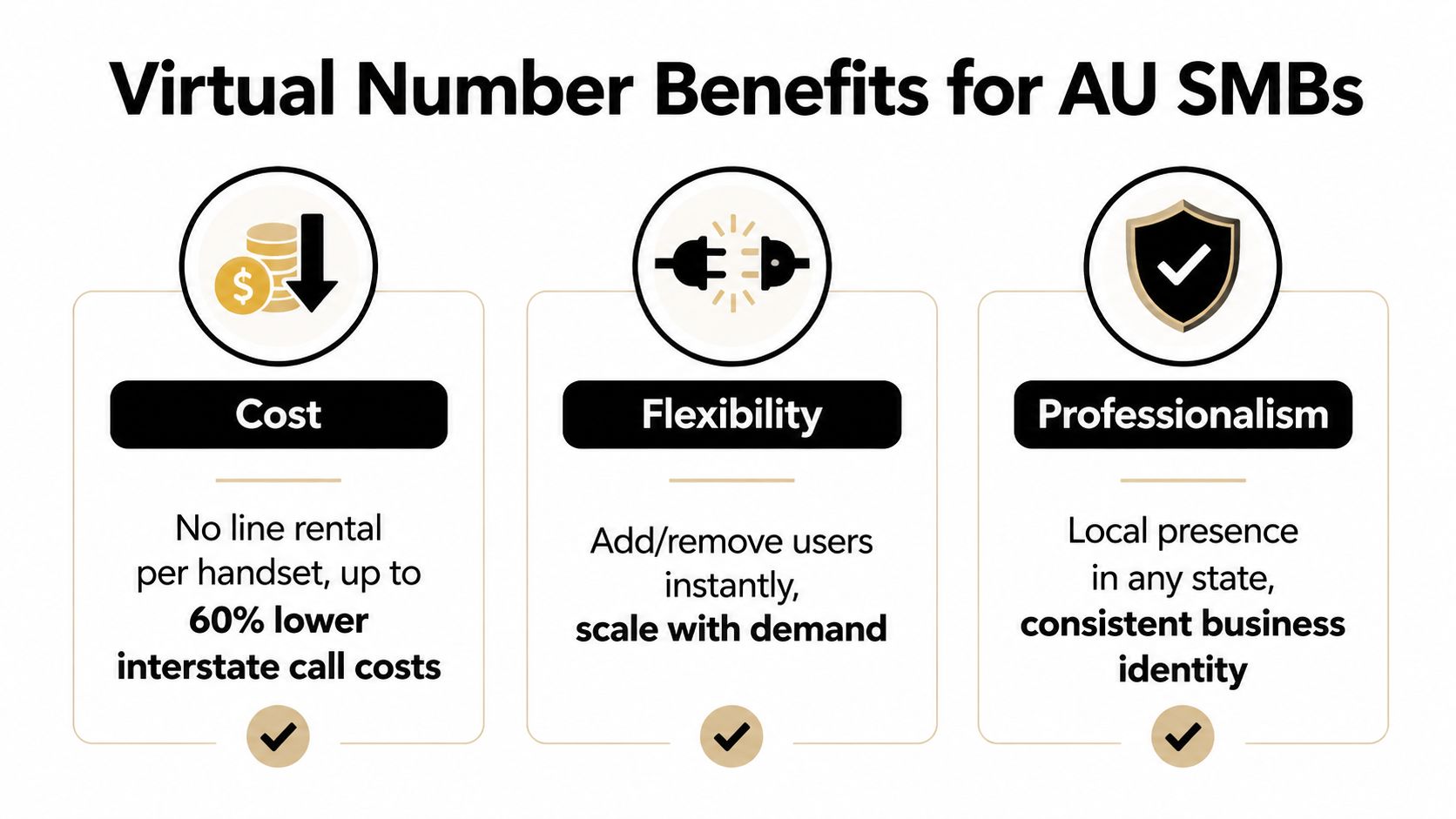
The operational result is straightforward: fewer missed calls, quicker responses and a business identity that doesn't depend on one person carrying the phone.
Porting an Existing Number to a Virtual Setup
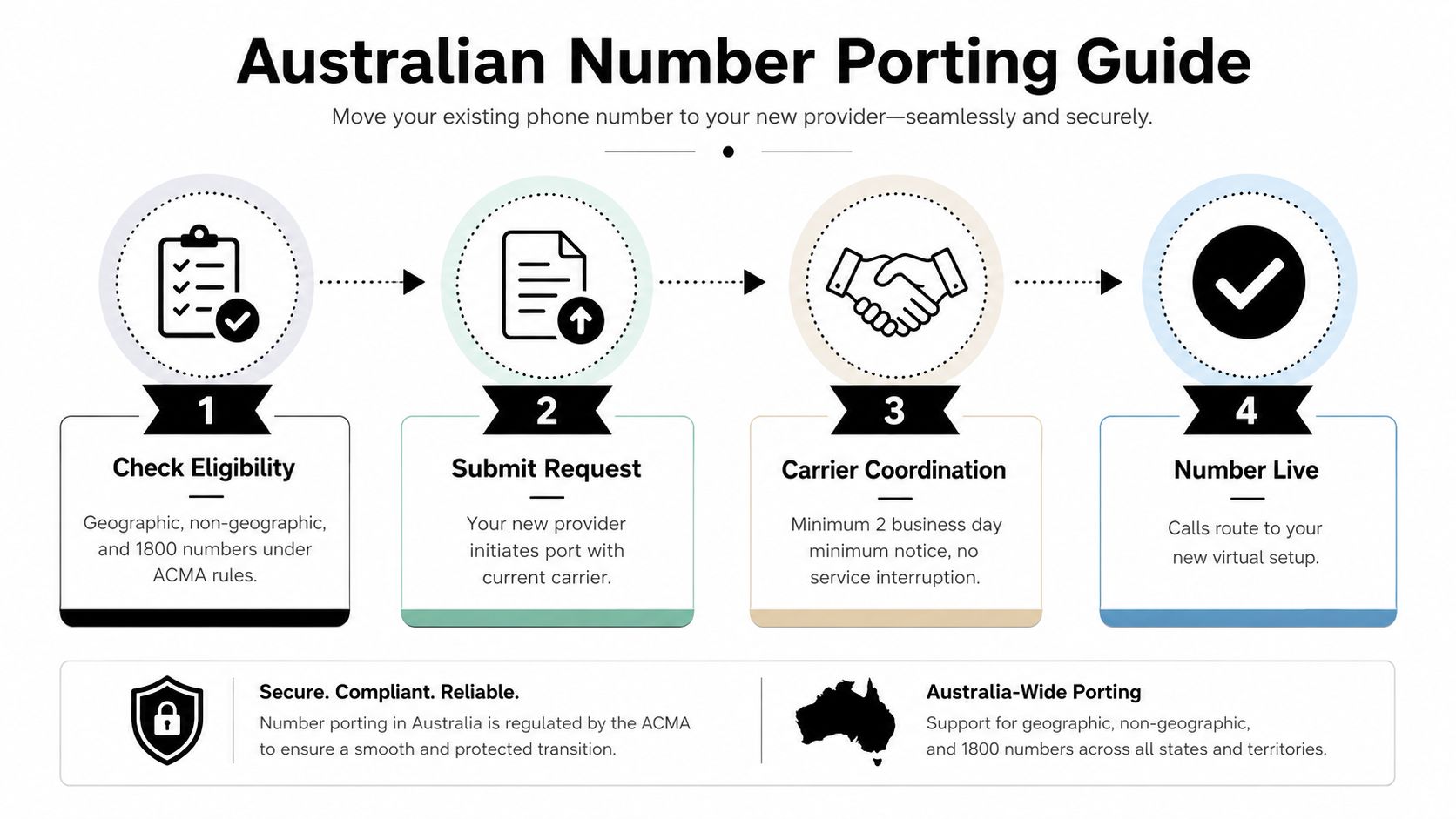
Porting means moving an existing number from your current carrier to a new provider while keeping the number customers already know. In Australia, portability covers geographic, mobile, freephone and local-rate numbers, but the process depends on the number class and the carriers involved. The ACCC's 2025 number portability direction explains the regulatory framework.
Prepare the transfer carefully
Start by asking the new provider to check eligibility. Standard geographic numbers, mobile numbers, 13 services and 1800 numbers may be portable, but overseas numbers and some legacy ISDN arrangements can require a different migration approach or may not be eligible for a direct port.
The new provider normally coordinates with the losing carrier. You'll need the active account holder's authorisation and accurate account information. A clean Letter of Authorisation matters because a mismatch in the account name, service address or number details can cause the losing carrier to reject the request.
Practical rule: Don't cancel the old service before the port completes. Cancellation can remove the active service details needed to validate the transfer.
Protect the cutover
Simple ports can move quickly, while complex multi-line ranges require more coordination. Ask the provider for a written cutover plan, the expected window, the fallback arrangement and the person responsible for escalation.
During the change, providers may use temporary dual routing so calls can still reach someone while carrier systems update. Test inbound calls from different networks, outbound caller ID, voicemail, business-hours rules and any linked SMS workflow before closing the old account.
Common delays include outstanding bills, unverified account details, an inactive service, an incorrect authorised representative or a number range with special dependencies. Porting also isn't identical for every Australian number. The Australian number-porting process guide can help you prepare the information your new provider is likely to request.
Understanding Pricing Models and Call Costs
A virtual number's advertised monthly fee is only one part of the bill. For a multi-site or remote Australian team, build the budget around users, numbers, included destinations and inbound call treatment. A cheap number can become expensive if every call is forwarded to mobiles or charged outside a bundled allowance.
Australian providers commonly combine several pricing elements:
User licence: A recurring fee for each hosted PBX user, softphone account or feature bundle.
Included minutes: Plans may include local, national or mobile calling, then charge for usage after the allowance ends.
Number rental: Extra direct-inward-dial numbers, often called DIDs, can carry a separate recurring fee.
Inbound service charges: 1300 and 1800 calls are commonly billed to the business by duration or under plan terms. They are not automatically free for the recipient.
Forwarding adds another cost layer. When a virtual number sends a call to an Australian mobile or landline, the provider often meters that forwarded leg by the minute. Inbound SMS may be bundled or free, but voice, SMS and MMS availability depends on the number type and should be confirmed before purchase.
Compare pricing by business stage
Cost component | Starter | Growth | Enterprise |
|---|---|---|---|
User licence | Lower recurring fee, fewer features | Mid-tier fee, broader calling bundle | Higher fee, advanced features |
Included calling | Limited or destination-specific | Local and national allowance | Broader local, national and mobile allowance |
Extra numbers | Charged per number | May include one or more | May include multiple numbers |
1300 or 1800 traffic | Usually metered separately | May have a bundled arrangement | Often negotiated for larger usage |
Add-ons | Recording, analytics or extra softphones | Selected features included | Advanced reporting and integrations |
These labels describe the type of plan, not a quoted provider price. Ask for the full fee schedule before comparing offers, including activation, porting, excess-minute, recording, number-rental and forwarding charges.
For a three-person team, total the user licences, one local number, included minutes and expected forwarding. Then model the same traffic on a 1300 service, including the business-paid inbound component. The lowest headline fee may not be the lowest operating cost once mobile termination, extra usage and call features are included. For a remote team, also check whether calls between users are included, since internal transfers can reduce forwarded call charges.
Real Use Cases with Hosted PBX and Softphones
A Sydney accounting firm with a Brisbane satellite office and two remote bookkeepers needs more than a number that forwards to one mobile. It needs a call flow that tells customers where to go and lets staff answer without asking which office is open.
A single 1300 number can ring Yealink desk phones at both offices and softphone apps on laptops used by the remote bookkeepers. An auto-attendant can direct callers to tax, payroll or reception, while the PBX keeps transfers inside one business system.
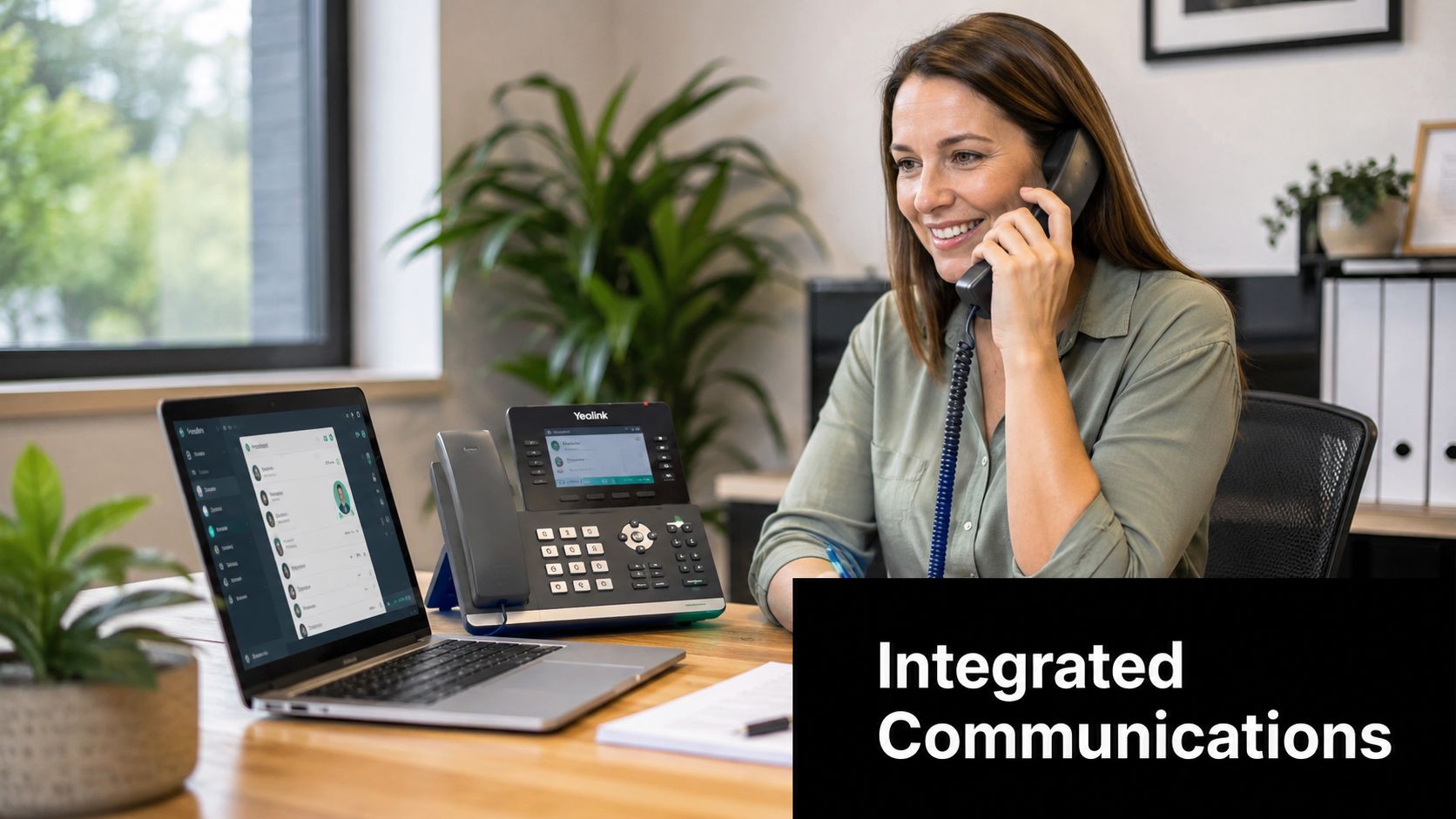
The feature payoff is operational. A customer doesn't need to know whether the person answering is in Sydney, Brisbane or a home office. The staff member can transfer the call, see the relevant caller details and keep the public number consistent.
A tradie working between appointments
A plumbing business owner might answer the same virtual mobile number on a Yealink desk phone before leaving the office, then use a 4G softphone on-site. The customer sees the business caller ID rather than a personal mobile number.
Call recording can support training or dispute review where the business has a lawful and properly communicated process. A CRM screen pop can show the customer record when the call arrives, reducing the need to search manually while wearing gloves or travelling between jobs.
An online retailer managing opening hours
An online retailer can use time-of-day routing to send daytime calls to the Melbourne office and after-hours calls to an on-call mobile. Voicemail-to-email gives the team a written notification and an audit trail for follow-up.
The same setup can handle seasonal staff by adding user accounts rather than installing another physical PBX. It also lets managers update greetings and routing rules from the provider portal when opening hours change.
Hosted Telecommunications offers hosted PBX systems with Yealink desk phones, softphone apps, number hosting and features such as digital receptionists, call queues, voicemail-to-email and time-based routing. Those functions are relevant when a small team wants one communications system across offices and remote workers.
The following video demonstrates the kind of office-based hosted phone workflow that businesses often evaluate before selecting handsets and softphone tools.
Quality, Regulatory, and Security Considerations
Virtual phone numbers aren't automatically better because they use the internet. Audio quality depends on the connection between the user and the provider, including upload capacity, latency, jitter and the codec selected for the call. Jitter is variation in packet arrival time, and buffering can smooth that variation, although excessive delay can still make conversation awkward.
Managed desk phones, such as business-grade SIP handsets, generally give administrators more control than an unmanaged consumer softphone. Remote workers also need a reliable connection, a suitable headset and a quiet environment. Test calls from the places where staff work, not only from the office network.
Regulation doesn't disappear in the cloud
ACMA manages Australia's numbering system and allocates number blocks to telecommunications providers. The federal Digital ID reforms have also made online identity and trust services more structured. The Digital ID Bill 2024 passed on 16 May 2024 and received Royal Assent on 30 May 2024, with the Digital ID Act 2024 and ACCC oversight forming part of that regime. The ACCC's Digital ID regulation information explains the regulator's role and relevant registers.
A hosted service still needs to meet applicable carrier and communications obligations. Ask the provider about emergency calling, lawful access requirements, data handling, outage processes and the location of support. Don't assume a cloud platform has the same emergency behaviour as a conventional fixed service.
Treat verification as a separate security problem
A virtual mobile or VoIP number may support calls and SMS, but banks and online platforms can reject hosted or non-geographic ranges for verification. SMS isn't a complete defence against number takeover.
The AFP warned in 2025 and 2026 about phone-porting scams in which criminals take control of a mobile number, intercept SMS verification codes and access bank accounts after an unauthorised port. The AFP warning about bulk phone-porting scams describes the risk.
Security boundary: Use a virtual number as a customer communications endpoint, not as your only recovery method for banking, administrator access or sensitive compliance workflows.
Reduce exposure by restricting international routing, protecting administrator accounts, documenting staff onboarding and using stronger authentication methods where available. Ask the provider what porting protections, caller-ID controls and access logs it offers before publishing the number widely.
Choosing and Setting Up the Right Virtual Number
Start with your existing call pattern. Record which calls are local, national, mobile, after-hours and internal, then note who needs to answer them. This gives you a better basis for choosing a number than selecting a prefix first.
Use this setup checklist
Match the range to customers: Choose a local geographic number for a defined service area, a national-facing number for broader coverage, or a 1300 or 1800 service when the business is prepared for its inbound call costs.
Match licences to people: Count office staff, remote workers, shared reception positions and seasonal users. Check whether softphone access is included or charged separately.
Choose endpoints: Consider Yealink T4-series desk phones for office roles, certified headsets for remote workers and a supported softphone for approved laptops and mobiles.
Plan integrations: Ask whether the system connects with Microsoft Teams, your CRM or helpdesk through SIP trunks or APIs. In plain English, these connections let phone events move between the phone platform and business software.
Protect the migration: Confirm port eligibility before switching, check provider limits on number ports, and keep the old service active until testing is complete.
Update public records: Change your website, directories, invoices, email signatures and Google Business profile after the new routing is confirmed.
On launch day, test inbound and outbound calls, caller ID, transfers, queues, voicemail greetings, voicemail-to-email and after-hours routing. Have a named person monitor calls while staff settle into the new apps and handsets.
Hosted Telecommunications provides Australian-based setup and support for hosted PBX systems, including Yealink handsets, softphone apps, number hosting and existing-number porting. Visit Hosted Telecommunications to discuss a virtual number and hosted PBX arrangement that fits your locations, staff roles and call-routing needs.
Comments