
Yealink Phone Comparison for Australian Hosted PBX Buyers
You're replacing an ageing office phone system with Hosted PBX, and the handset shortlist looks deceptively simple. The T53W appears sensible for staff, the T54W adds a more capable screen, and the T57W looks like the obvious choice for reception or management. The difficult question isn't which phone has the longest specification sheet. It's whether the extra hardware will improve someone's working day enough to justify its Australian purchase price, provisioning effort and ongoing support.
A useful Yealink phone comparison therefore starts with the Hosted PBX design, not the handset carton. Desk phones remain valuable for fixed workstations, reception and high-call-volume roles, while softphone apps support people working from home, another office or a shared workspace. The right model gives each role enough screen space and call visibility without turning every desk into an executive workstation.
Why Australian Businesses Compare Yealink Phones
A small business manager rolling out Hosted PBX usually has several competing priorities. Staff need a reliable way to answer calls, the office needs a consistent professional number, and remote workers need access to the same system without maintaining a separate phone arrangement. The manager also has to decide whether every employee needs a physical handset at all.
Hosted PBX shifts much of the phone system into the cloud, so the business can combine desk phones with desktop, mobile and web applications. That changes the purchasing question. A handset is now an endpoint in a wider service, rather than the centre of the company's entire telephony infrastructure. The Yealink desk phone guide is useful context for businesses assessing that broader setup.
Australian pricing makes the choice more consequential. Hosted PBX can reduce telecom spending by 30–50% for Australian SMEs, while traditional landline and mobile business calls were reported at an average of AUD 15,000 annually, according to Australian Hosted PBX cost guidance. Those savings can disappear quickly if a business buys premium handsets for users who only need basic call answering.
The role matters more than the label
Consider a small professional office. Most employees need to answer their direct number, transfer calls and see enough line information to work comfortably. A T53W may meet that requirement without adding unnecessary display or programmable-key cost.
A manager who handles several lines, uses a headset and moves between work areas may gain more from the T54W. Reception is different again. A receptionist or executive assistant may benefit from the T57W's larger touch interface because visible line presence and faster navigation affect every call handled during the day.
Practical rule: Choose the handset by the user's call workflow, then check whether the Hosted PBX platform supports the required provisioning, routing and mobility features.
The wrong choice creates two kinds of waste. An inexpensive phone can frustrate a busy operator who needs more visible controls, while an expensive phone can sit underused on a quiet staff desk. A proper comparison keeps call capacity, screen usability, lifecycle support and flexible working locations in the same decision.
How Hosted PBX Changes the Phone Decision
Hosted PBX changes the phone decision in three practical steps.
First, the provider hosts the business phone system in the cloud rather than requiring the organisation to maintain its own on-premises PBX hardware. The service manages functions such as extensions, call queues, voicemail and routing, while the business chooses how each person connects to it.
Second, users can work through more than a desk handset. Australian cloud phone guidance describes systems that use the internet instead of on-premises hardware and let staff access the same service through mobile, desktop or web apps, supporting flexible locations without VPN-dependent setups. That makes the physical Yealink phone one endpoint among several, not a mandatory device for every employee.
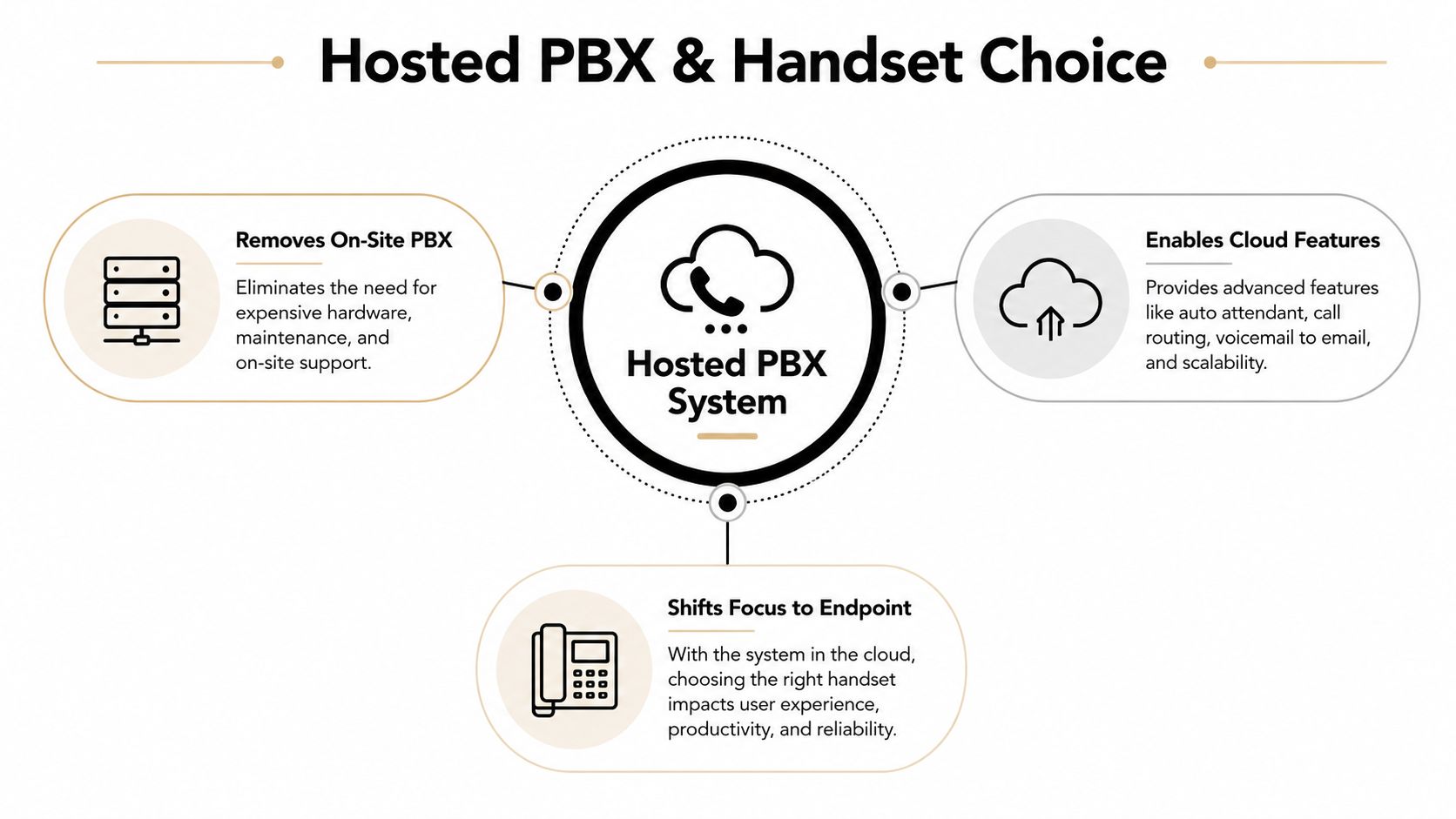
Third, the business can assign endpoints according to the work being done. A fixed office desk may suit a T53W, while a hybrid user may use a softphone most of the time and keep a T54W in an office or satellite location. Reception may justify a T57W because that user interacts with more lines and call controls than a standard employee.
One system, several working locations
A hosted system removes the need for staff to remain tied to a physical office phone arrangement. It allows people to work from practically anywhere while still using one shared professional phone system, as described in guidance on Hosted PBX flexibility.
That doesn't mean Wi-Fi automatically makes every desk phone a remote-work device. Voice quality still depends on the local network, the handset's placement and the support model. A desk phone with Wi-Fi can help where Ethernet is difficult to install, but a laptop or mobile app may be more practical for a person who changes locations frequently.
The useful design question is simple: which endpoint does each role need, and where will that endpoint be used? Hosted PBX supplies the shared service. Yealink supplies a range of physical interfaces. Good deployment connects the two without paying for features that users won't touch.
Yealink T53 T54W T57W Specs and Pricing
Yealink's Australian listings and local resellers present the T53W, T54W and T57W as a clear progression. The range moves from a practical staff handset to a manager-friendly model and then to a premium device for busy managers, receptionists or executive users.
The key differences are visible immediately in the screen and line capacity. The T53W is typically positioned as a 12-line business phone with a 3.7-inch 360x160 grayscale screen. The T54W provides 16 lines and a 4.3-inch 480x272 colour screen, while the T57W keeps 16 lines but adds a 7-inch 800x480 colour touch screen. The local prices below come from an Australian reseller listing referenced in Yealink's product comparison material.
Model | Lines | Screen | AU Reseller Price |
|---|---|---|---|
Yealink T53W | 12 | 3.7-inch 360x160 grayscale | About A$236.95 |
Yealink T54W | 16 | 4.3-inch 480x272 colour | About A$330.00 |
Yealink T57W | 16 | 7-inch 800x480 colour touch | About A$423.95 |
The T57W can cost roughly 79% more than the T53W at retail, based on those listed prices and the comparison source above. That premium isn't buying a new Hosted PBX call engine. It primarily buys a larger, more visible and more interactive interface, along with a more executive-oriented physical design.
Reading the tiers correctly
The T53W fits common workspaces where users handle ordinary business calls and don't need a large programmable control surface. The grayscale display is functional rather than luxurious, and the lower price makes it easier to standardise across a larger staff group.
The T54W is the middle option for professionals and managers. Its colour display and higher line capacity give users more information without moving into the price and desk footprint of the premium model.
The T57W makes sense when the handset itself is a working tool. Receptionists, executive assistants and busy managers may use the screen and programmable keys continuously, so visibility can matter more than the underlying call-account ceiling. Businesses comparing installation and day-to-day use can also consult this Yealink phone manual resource before committing to a mixed fleet.
Where T54W and T57W Actually Differ
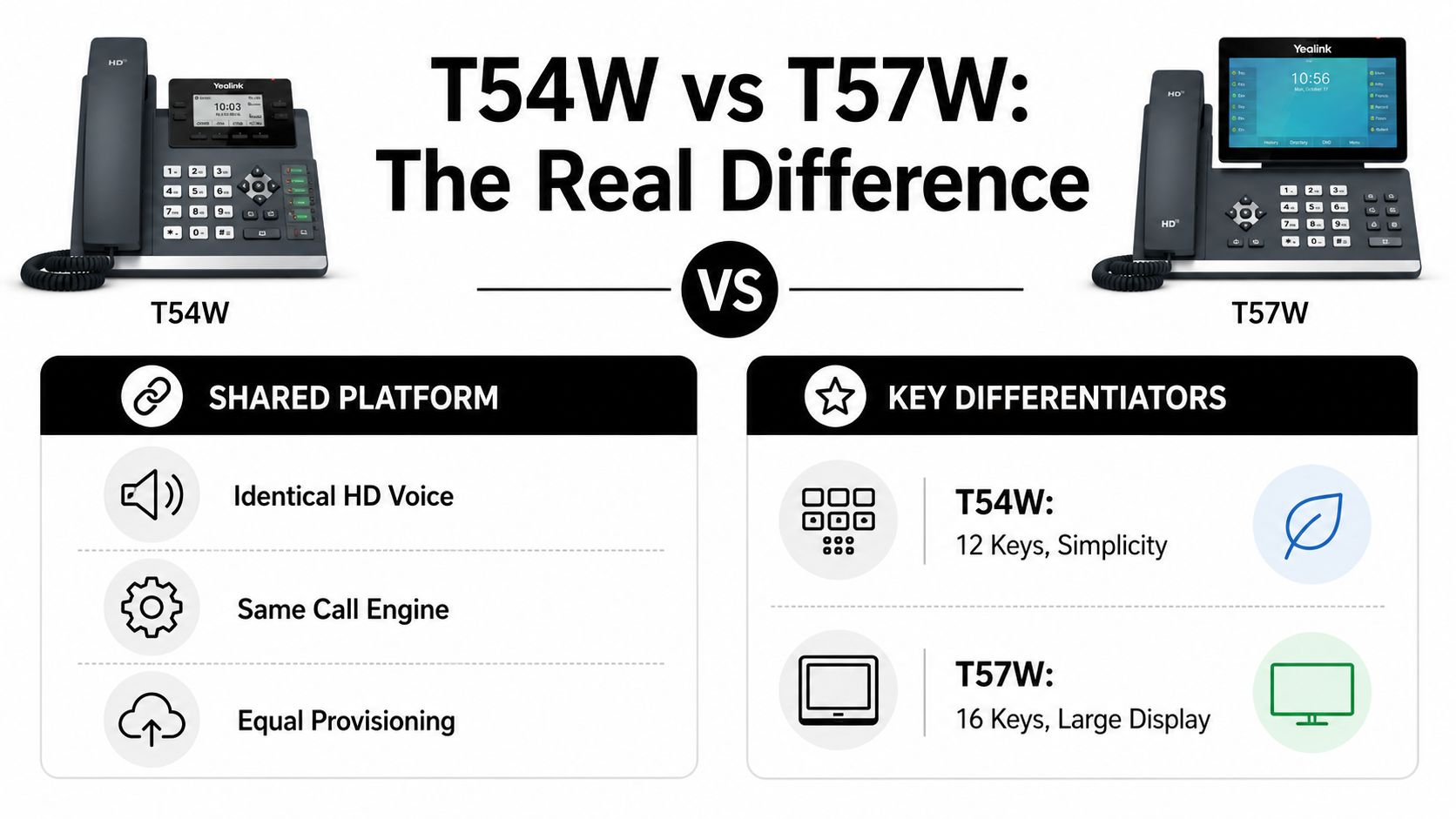
The T54W and T57W share the same core telephony platform for Australian business deployments. Both support up to 16 VoIP accounts, dual-port Gigabit Ethernet, PoE, built-in Bluetooth 4.2 and built-in dual-band Wi-Fi across 2.4G and 5G. That means the T57W isn't automatically a more capable phone for making or receiving calls.
The meaningful distinction sits in the interface. The T54W has a 4.3-inch 480×272 colour display and 27 DSS keys, while the T57W uses a 7-inch 800×480 capacitive touchscreen and 29 DSS keys, according to the T54W technical specifications.
Interface advantages in busy roles
A receptionist often needs to monitor more than a personal extension. Visible line presence, transfer destinations and programmable functions can reduce the amount of menu navigation required during a busy call period. The T57W's larger touchscreen gives that user a more spacious visual workspace, and the additional DSS capacity can help keep more functions immediately available.
Power users may see a similar benefit. A manager who regularly handles assistants, shared lines or multiple call states can use the larger display to locate controls more quickly. The value comes from repeated interaction, not from the presence of the specification itself.
For a standard desk, the equation changes. If the employee answers occasional calls, transfers a small number of conversations and mainly works in business applications, the T57W's extra screen area may contribute little. The T54W already offers the same core platform features, including Wi-Fi, Bluetooth and PoE.
The T57W is an interface upgrade, not a fundamentally different Hosted PBX phone system.
That distinction prevents a common purchasing mistake. Businesses sometimes interpret the premium model as a broader communications platform, then deploy it everywhere. In practice, the T54W often covers standard professional desks, while the T57W earns its place where the operator spends significant time looking at and controlling calls.
Deployment Flexibility and Lifecycle Management
The purchase price is only one part of handset cost. Australian businesses also need to consider switch capacity, UPS runtime, headset connections, Wi-Fi availability and the effort required to maintain mixed devices across offices.
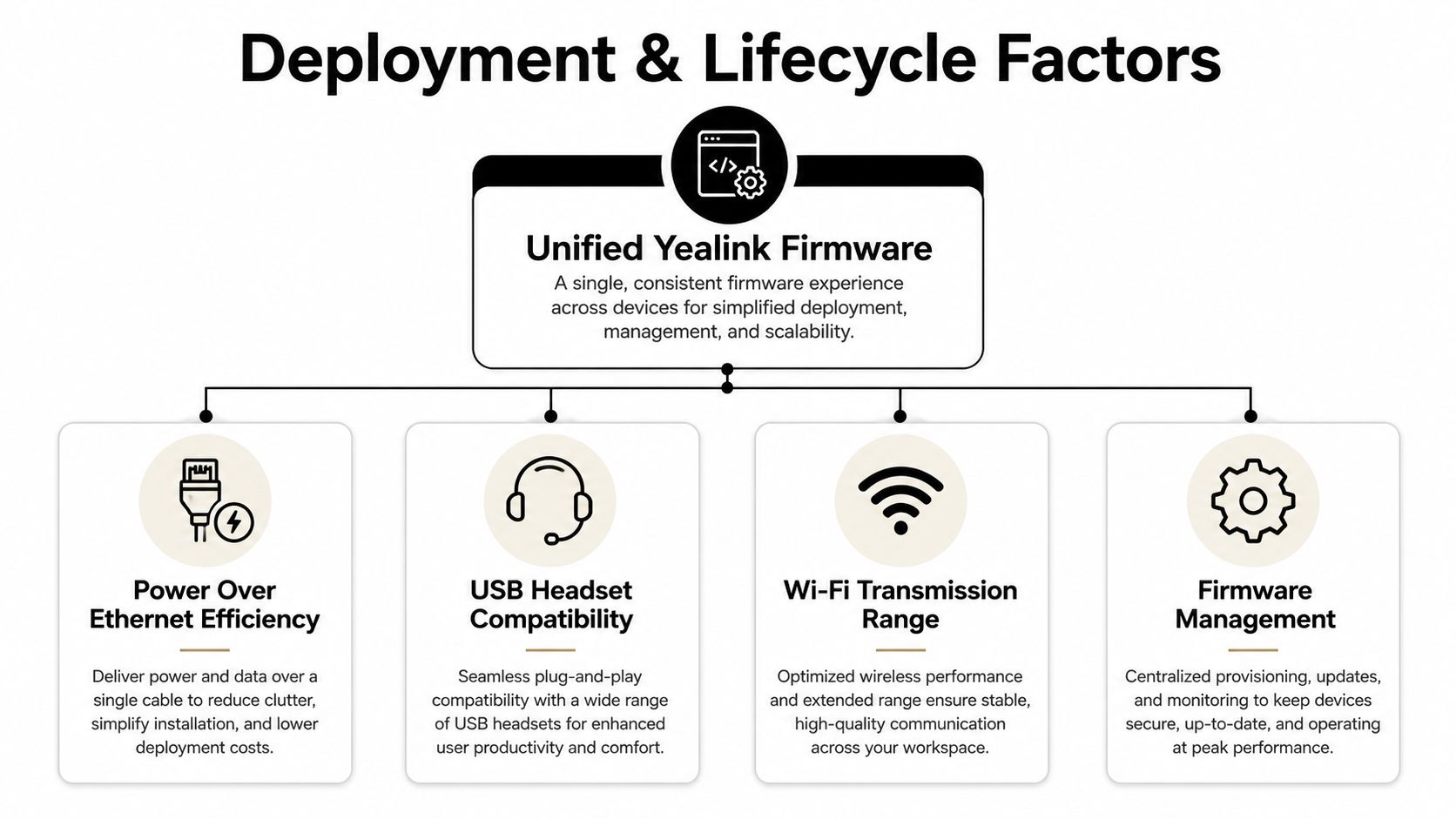
The T54W supports PoE and draws about 1.7W to 4.3W on a power supply, or 2.2W to 5.5W on PoE, based on Australian T54W product specifications. Those figures are relevant when an organisation is planning an office-wide rollout and needs to understand the load placed on network switches or battery-backed equipment.
The handset also includes USB 2.0 for wired or wireless USB headsets and recording. That gives users a practical alternative to the handset receiver, especially in roles that spend much of the day on calls.
Wi-Fi helps, but it isn't a universal answer
Built-in dual-band Wi-Fi gives the T54W a place in satellite offices, temporary workspaces and locations where installing an Ethernet drop is inconvenient. Its transmission rate can reach 433Mbps dynamic, according to the same Australian listing. That makes deployment more flexible, but it doesn't remove the need for a properly managed wireless network.
A phone placed at the edge of weak coverage may be less reliable than a wired endpoint. For permanent desks, Ethernet and PoE usually provide a cleaner support model. Wi-Fi is most useful when it solves a real site constraint, not when it is selected just because the feature appears in the specification.
Firmware reduces mixed-fleet administration
Unified firmware across the T53, T53W, T54W and T57W can lower fleet-management overhead when one Hosted PBX system contains several handset types. The administrator can support a consistent Yealink family rather than creating completely separate maintenance processes for every role.
That matters during staff changes and office moves. A phone assigned to a departing employee may be reused for another role without forcing the business to redesign its entire device standard. Provisioning still needs to be tested with the Hosted PBX provider, but a consistent firmware approach makes mixed deployments easier to organise.
Matching Yealink Models to Workspaces
A small office with common staff desks rarely needs one handset model everywhere. The more practical approach is to map the device to the user's day, then let Hosted PBX features handle the shared system functions.
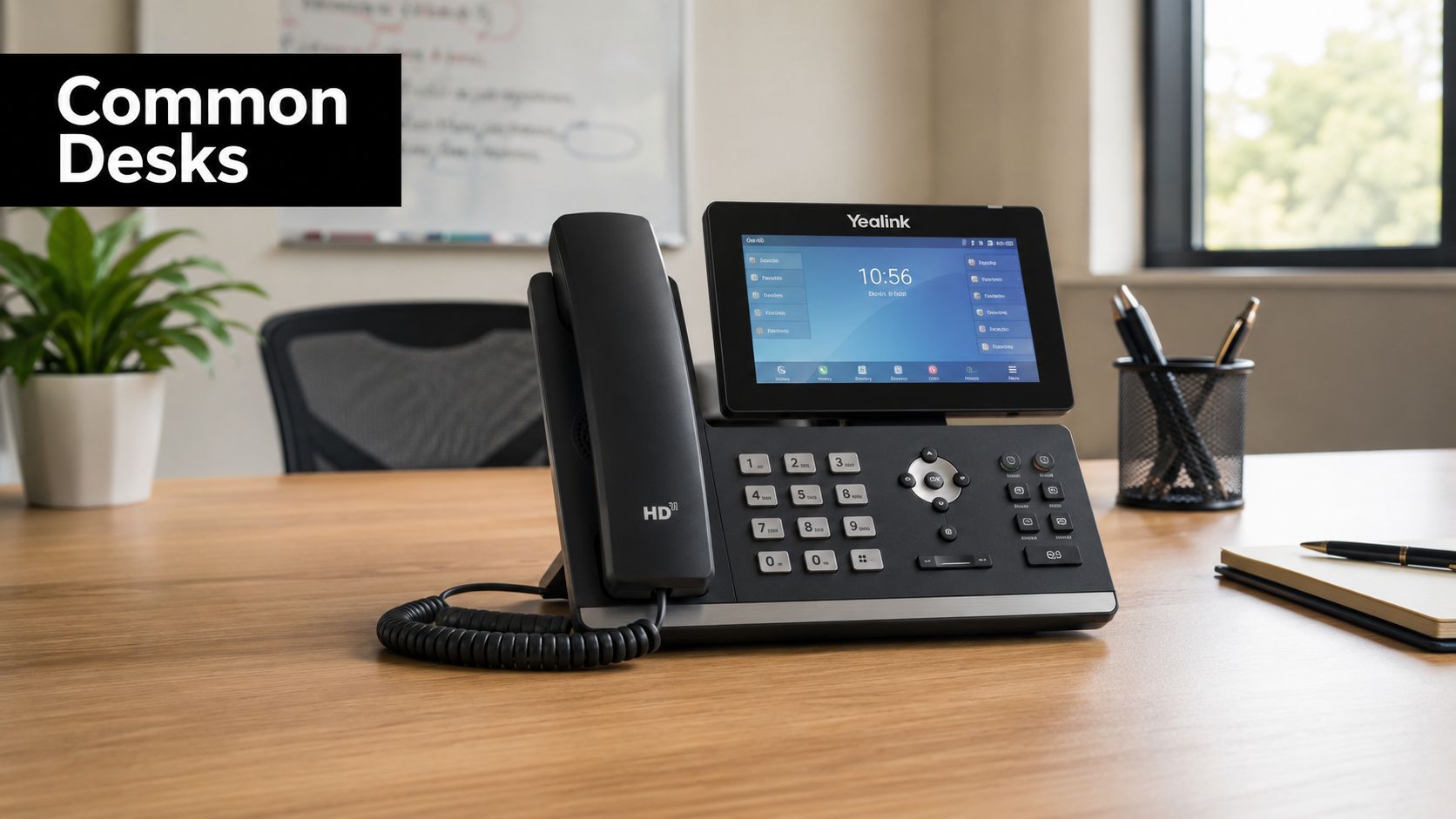
A standard small-office desk
The T53W is a sensible fit for employees who need a dependable physical phone for direct calls, transfers and ordinary office communication. Its 12-line positioning and compact grayscale display suit users who don't spend the day monitoring multiple shared lines.
The Hosted PBX can still provide the wider features, including voicemail, queues and time-based routing. The handset doesn't need to display every system capability for the employee to benefit from those services.
A hybrid or satellite worker
A hybrid worker may spend some days at a fixed office desk and other days using a laptop or mobile device. Australian cloud PBX guidance describes access through mobile, desktop and web apps, allowing staff to use the same system across flexible working locations without relying on a VPN-dependent setup, as outlined in Australian cloud PBX guidance.
Where the worker has a satellite desk or temporary office location, the T54W's Wi-Fi and Bluetooth can make the physical setup easier. The employee can use a headset when appropriate and move between the desk phone and softphone without changing the business identity presented to callers.
Reception across multiple sites
A multi-site organisation may place T57W handsets at reception points or with staff who coordinate calls across offices. The larger touch display and greater programmable-key visibility help when the operator needs to track shared lines, transfers and destinations.
That doesn't mean every branch needs the premium device. Reception is the role where the interface earns its cost most clearly. Other staff can use a simpler model while the Hosted PBX connects locations into one calling environment.
Best Value Yealink Choice for Your Business
The best-value Yealink handset isn't automatically the newest or most expensive model. It's the one that matches the user's line count, screen requirements and support model without creating avoidable capital cost.
Recent Australian listings place the T53W around A$280.50 ex tax, the T54W around A$363 ex tax and the T57W around A$503.80 ex tax, as shown in Australian Yealink handset listings. Those local figures demonstrate why an Australian buyer should compare street pricing rather than rely only on manufacturer positioning.
Where the premium earns its place
The T57W makes a defensible case for reception, executive assistance and high-call-volume roles. The larger touch interface can reduce friction for people who repeatedly access lines and programmable controls. If the handset is central to the operator's workflow, the additional spend may be easier to justify.
The same logic doesn't apply to a quiet staff desk. In a desk-wired office, Wi-Fi and Bluetooth may have little daily impact, particularly when users already have suitable network access and rarely connect headsets. The T54W can be the more balanced choice for professionals and managers who need colour, capacity and flexibility without the premium interface.
A practical allocation model
Use the T53W where the work is straightforward and volume is ordinary. Use the T54W where the user needs a more capable everyday business phone or the site benefits from flexible placement. Reserve the T57W for roles where visible call control directly supports the job.
Warranty handling and provisioning effort belong in the same conversation. A handset that costs less but takes longer to support may not remain the cheapest option, while a consistent Yealink fleet can make future moves and replacements easier.
Buying and Implementing Yealink on Hosted PBX
Start by assigning each user a role, then select the handset rather than buying one model for every desk. Confirm which devices will use PoE, which locations need Wi-Fi, and whether reception requires the larger display and programmable-key surface.
For procurement, Hosted Telecommunications offers Yealink handsets alongside Hosted PBX services, including 24- or 36-month plans with free installation, unlimited local, national and mobile calls, one free telephone number and 1300 calls at 30c per call, according to the publisher information provided for this service. Businesses can also arrange number porting, add onsite training and use features such as hot desking, call queues, voicemail to email and time-based routing.
Before rollout, confirm provisioning for the selected models, test the network at each site and decide which employees will use desk phones, softphones or both. A mixed T53W, T54W and T57W fleet can be easier to administer when the devices share a unified firmware approach. The Yealink Hosted PBX connection guide provides a useful starting point for that conversation.
Hosted Telecommunications supplies Yealink T53, T54W and T57W handsets with Hosted PBX, softphone access and Australian-based setup and support. Visit Hosted Telecommunications to discuss handset selection, number porting, provisioning and a rollout that supports both fixed desks and flexible working locations.
Comments